Authorization Abuse: The Reality of SaaS Phishing
A legitimate Microsoft login, valid MFA, and still a breach. Cyera Research breaks down a live device code phishing campaign and how to defend.

.jpg)
An email from a familiar application lands in an employee's inbox. They click the button to sign in and are prompted to log in with their Microsoft account, including two-factor authentication, through a legitimate login page. Everything looks right.
Minutes later, an attacker has access to the user’s Microsoft 365 account from their own device. All without stealing a password, bypassing MFA, or failed controls.
This is what modern phishing looks like. A decade ago, phishing was all about stealing a victim’s credentials. An email would arrive with a link to a fake login page, the victim typed in their password, and the attacker collected it. While most security awareness training continues to focus on that approach, phishing strategies have evolved.
Modern SaaS phishing strategies exploit an important feature of SaaS platforms: delegated authorization. Users grant applications and devices the right to act on their behalf, continuously and without re-authentication, letting attackers target something bigger than secrets: organizational access.
Traditional controls won’t catch any of this. And non-human identities (NHIs) like AI agents, which are multiplying fast and rarely reviewed, only open more paths to authorization abuse.
Passwords Are Not the Only Target
Bad actors have realized that delegated authorization can be even more valuable than passwords. When an employee signs into their Microsoft work account, the token issued is not just a key to a single application. Depending on the scope granted and the account’s entitlements, it can provide programmatic access, through Microsoft Graph, to a substantial portion of the organization’s SaaS estate, including:
- Mail and calendar in Exchange Online, including full mailbox history and the ability to send emails as the user.
- Files in OneDrive and SharePoint, including sites the user can reach but has never opened.
- Conversations and shared files in Teams.
- The Entra ID directory — names, titles, reporting lines, group membership, service accounts, and administrator identities, which together form an organizational map for follow-on attacks.
- The ability to consent to applications, register devices, or create other persistent access paths that outlive the stolen token.
After this type of phishing attack, the question for security teams then becomes what can an attacker touch? Authentication logs tell you what identity was used, but not what data that identity can reach. Without both data points, it’s impossible to determine the impact of a breach.
The same reasoning extends to NHIs. Application registrations, service accounts, and, increasingly, AI agents, hold persistent, delegated permissions across SaaS tenants, many of these accumulated over years. The device authorization grant is itself an example: it exists for input-constrained devices, is unnecessary on the vast majority of employee endpoints, and is commonly left enabled because no one has had cause to examine it.
Investigating a Live Phishing Campaign Targeting Organizations
Let’s walk through an example of the Microsoft login-powered attack mentioned at the beginning. Detecting and analyzing these attack patterns is part of the threat hunting service Cyera provides many of its customers (you can read more about our M365 research here)
Stage 1: "Proposal for Strategic Collaboration"
The attack starts when the victim receives an email from someone they know. The threat actors may have gotten the victim’s email address from a previous victim’s inbox, analyzed the content, and disseminated a phishing email to future victims on the mailing list.
The new potential victim receives a business proposal from inside or outside the organization, clicks the proposal, and is redirected to a webpage impersonating a collaborative SaaS application like Docusign. The impostor site then performs a security check.
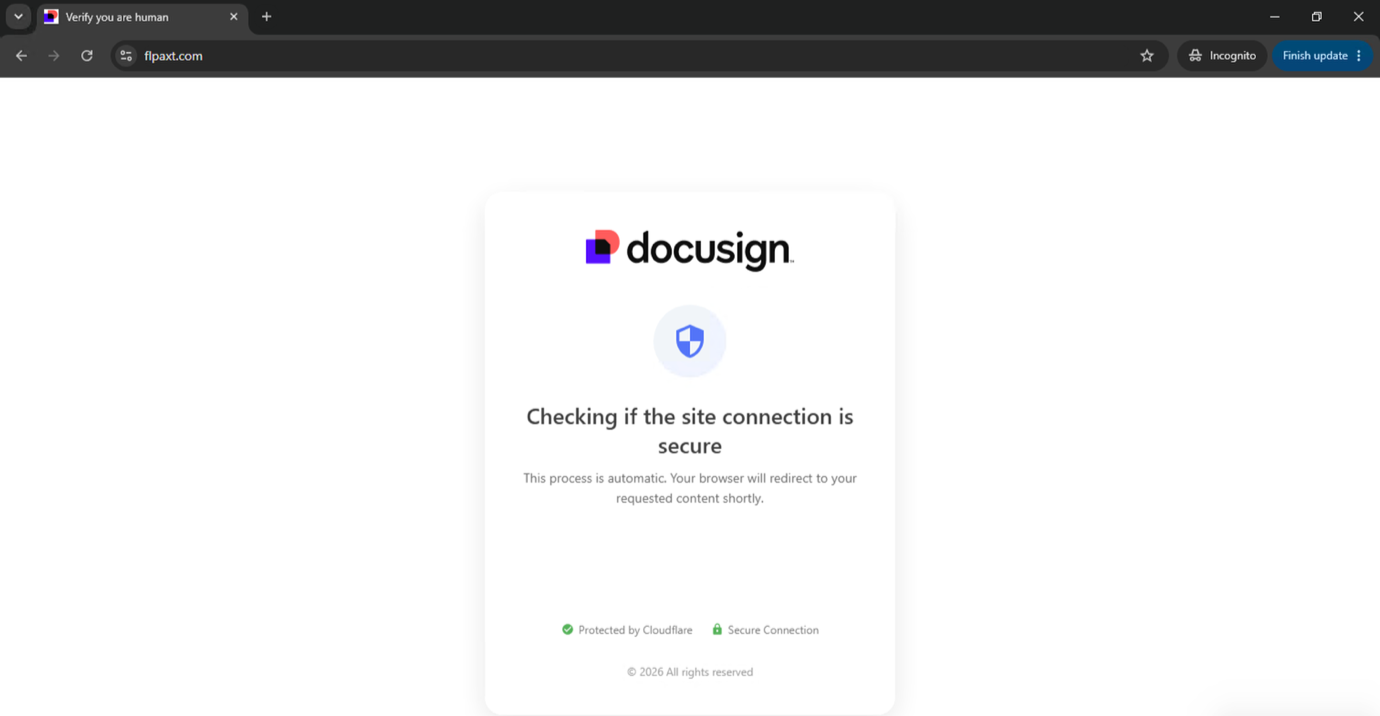
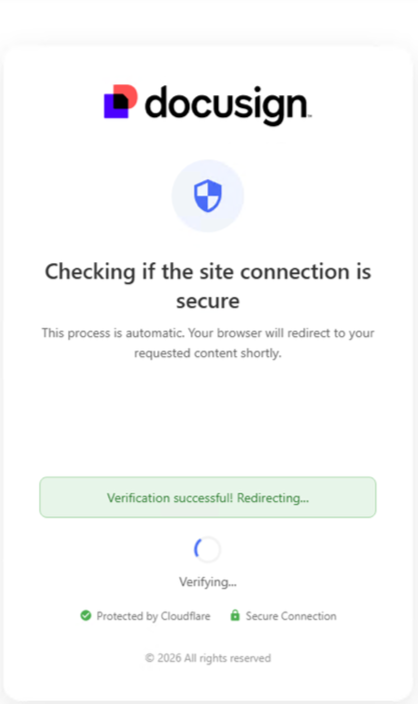
Everything looks right and the verification succeeds.
However, before being able to see the document, the victim is instructed to authenticate via their Microsoft account. They are given an access code, but the attacker is really the one initiating this request through an abuse of Microsoft’s legitimate device code authentication flow.
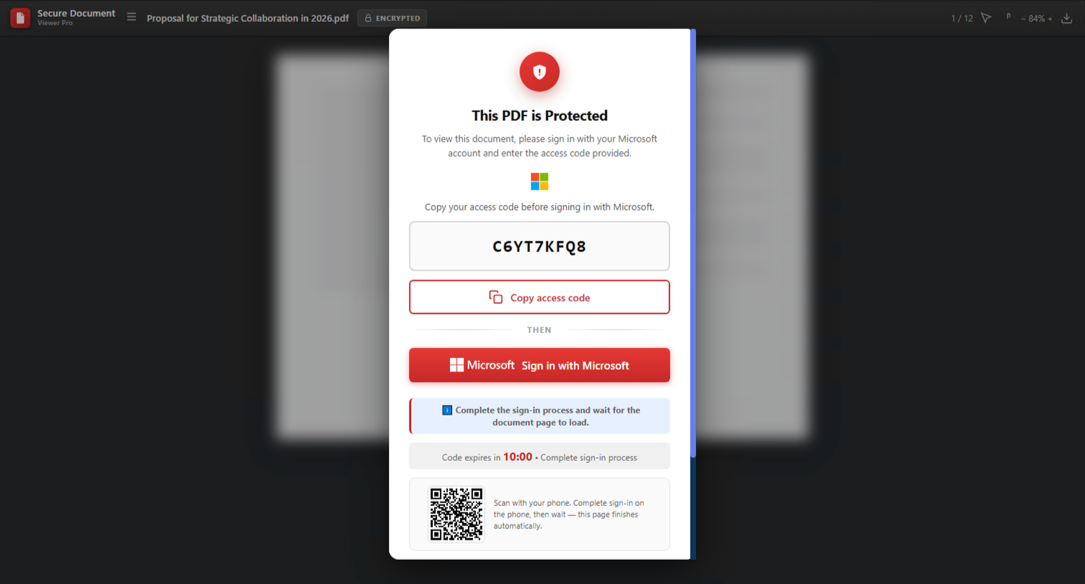
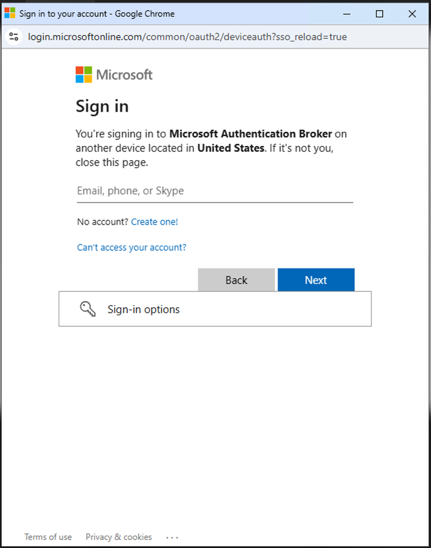
The user inputs the access code and clicks to sign in to Microsoft, opening a window with a real Microsoft login.
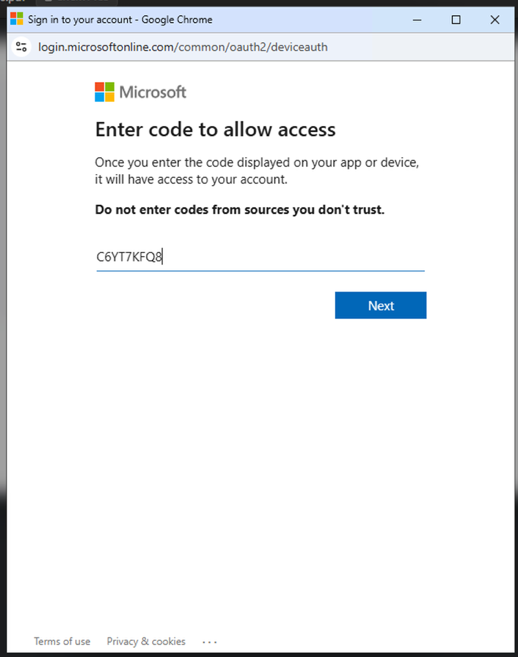
After submitting the access code, Microsoft presents the next sign-in window. The prompt to authenticate through Microsoft’s legitimate login page makes the process appear trustworthy. From the defenders’ perspective, up until this point the victim only interacted momentarily with the suspicious or malicious domain. The lure website exploits the routine legitimate Microsoft authentication, which is a substantially lower bar and produces a substantially calmer victim.
Cyera researchers identified two malicious domains associated with the campaign. The first, flpaxt[.]com, is hosted in France by Virtuo Networks France SAS at 194.59.30.80, while the second, nscloum[.]online, is hosted in the United States by RouterHosting LLC at 144.172.94.116. The two landing pages are byte-identical (9,313 bytes) with a single line of difference, which is the Turnstile site key.
Before any phishing content is served, the visitor must pass a Cloudflare Turnstile challenge. Verification of the challenge library confirmed it is the genuine, unmodified Cloudflare client.
But once the victim completes authentication, they will be effectively authorizing that session on the attacker’s device by using their own identity. The attacker can then obtain valid authentication tokens and potentially access Microsoft 365 resources under the victim’s identity, without ever needing the victim’s password.
Stage 2: The Oldest Trick in the Book
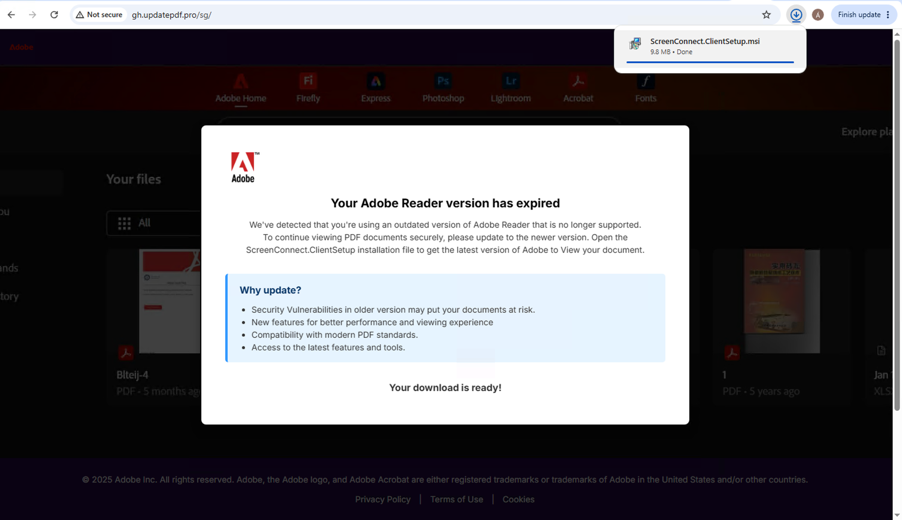
After the victim logs in to Microsoft, the malicious page redirects them to the “desired document,” which is actually a second-stage host, gh[.]updatepdf[.]pro, serving a page that impersonates Adobe Acrobat and Creative Cloud. Its title is constructed from Cyrillic and Cherokee homoglyphs rather than Latin characters:
ΑԁоЬе ΑϲгоЬаτ Ꭰоϲυⅿеɴτѕ | Ϲгеаτіⅴе Ϲⅼоυԁ Ρогτаⅼ
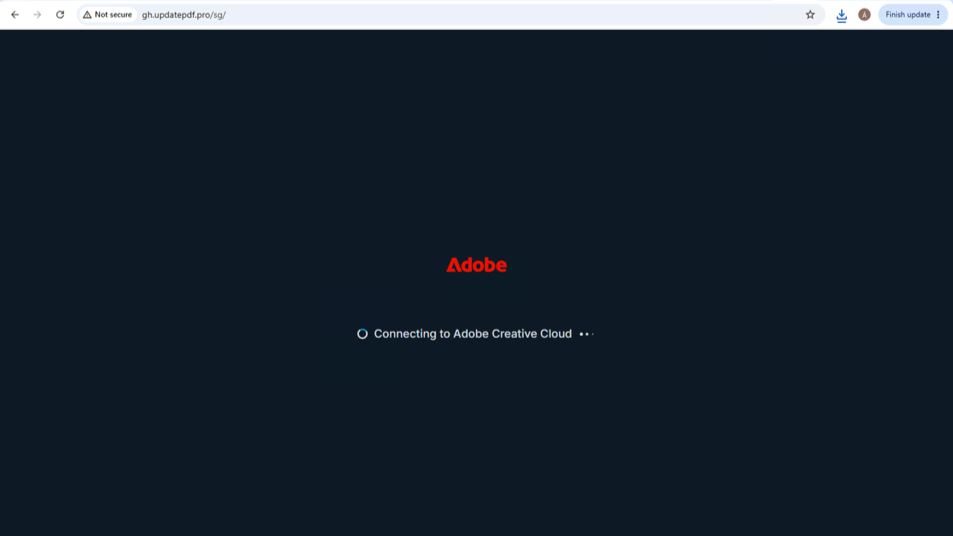
And now the threat actors use the oldest trick in the book: download an update to view the document.
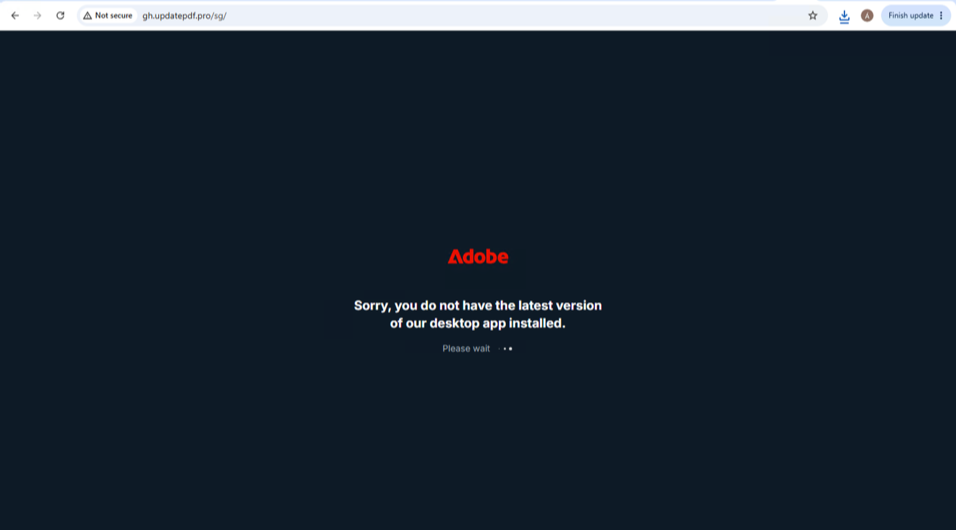
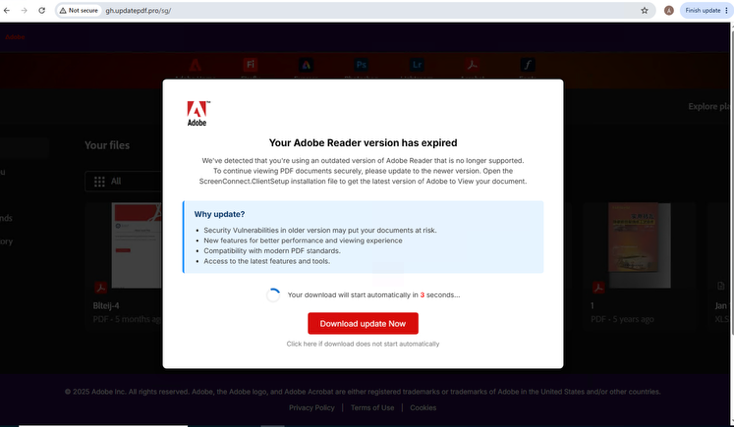
Cyera Research downloaded the update file to our lab and ran it. The final payload of this campaign is a genuine, vendor-signed build of ConnectWise ScreenConnect, a commercial remote support product used legitimately by IT departments and managed service providers worldwide.
The weaponization consists of an eleven-line XML file that grants the threat actor remote access via the IT support tool. Each MSI unpacks 19 files, which is the complete ConnectWise client stack.
The components that determine what the operator can do:
Why Traditional Controls Fail
It is worth enumerating precisely which defenses this technique passes through and why they fail.
The single reliable detection surface is the identity layer itself: Microsoft Entra ID records device code authentications distinctly, and in most organizations there is no legitimate reason for an employee workstation population to authenticate this way at all. So
While a device code sign-ins should be a red flag, they only indicate that an identity has been used anomalously; it says nothing about what that identity can subsequently reach. And in a SaaS environment, the severity of a compromised identity depends entirely on the data it can touch.
What Defenders Should Take from the Campaign
There are a few practical steps defensive teams can take to protect their companies from these types of attacks.
- Restrict the device code flow with Conditional Access. Microsoft Entra Conditional Access can block the device code authentication flow through its authentication flow condition. Most organizations have no legitimate device code scenario on employee endpoints. Blocking it, or scoping it to a narrow exception group, removes this entire attack class regardless of how convincing the lure becomes.
- Hunt device code sign-ins in Entra ID. These authentications are logged distinctly. Sign-ins using this flow from populations with no shared-device or CLI requirement warrant investigation. This is the primary detection surface, because the identity stage produces no endpoint telemetry.
- Revoke tokens, not just passwords. A password reset does not invalidate an outstanding refresh token. Sessions must be explicitly revoked or the attacker retains access.
- Review consent and delegated permissions across the tenant. Examine application registrations and enterprise applications holding directory, mail, or file permissions (particularly application-level permissions that operate without an interactive user) and remove access retained past its original business purpose.
- Constrain what an ordinary identity can reach. Enumerate the data accessible to a standard user through Graph, SharePoint, OneDrive, and Exchange, including access exercised by AI agents and copilots operating under that identity, and reduce standing access to sensitive repositories. Mapping sensitive data to the identities and access paths that reach it is what turns an ambiguous identity alert into a scoped incident. It lets a response team prioritize by the sensitivity of what's exposed or could be exposed rather than treating every permission as equivalent.
- Watch for QR-based delivery. Outbound requests to QR generation services carrying deviceauth or otc= parameters should send up flags, since QR codes deliberately move the victim onto unmanaged mobile devices.
- Detect unauthorized remote access tooling behaviorally. Alert on connections to remote access relay subdomains that do not correspond to sanctioned instances (see the relay subdomains and hashes in the indicators table below). Legitimate signed software cannot be caught by signature.
- Train on the mechanism, not the brand. "No document requires you to enter a code at microsoft.com/devicelogin in order to open it" is a durable rule that survives every rebrand of this lure. Users are correctly taught to check the URL, but here the URL is genuinely Microsoft's.
- Correlate access activity with identity and data sensitivity during investigation. Because the authentication here is legitimate and leaves no endpoint or credential-theft signature, response depends on determining what the identity actually touched, not just what it was permitted to touch. Correlating access activity against data sensitivity converts a list of theoretical permissions into an evidence-based account of exposure.
Authorization Abuse Will Only Increase
This type of attack works because it asks the victim to take an action they’ve done hundreds or thousands of times. Conditional access can help avoid this exact phishing attack, but authorized access as an attack vector is not going away. In fact, it will likely get bigger.
Every new AI agent and service account represents another risk, with delegated authorization that usually lasts longer than it should. Most organizations lack a clear view of those identities today, no less what each one can reach. That’s why security teams need to move quickly on this.

.svg)