

A customer asked us recently: a thousand requests touched the same four tables, then one reached a fifth. Was that intended? Finding out today means reading source code or skill files.
A team in your organization gives an agent broad access and tells it to handle support tickets. No one spells out exactly how. That's what makes agents useful, and it's why no one can tell you whether reading something extra or routing a summary somewhere new was part of the job.
Here’s how to make it a one-screen answer instead.
Labeling by hand doesn't scale
One way to pin those down is manual review: read every tool description, tag each agent, and keep a spreadsheet. That works for ten agents. Once every team builds one or ten on their own, each connected to more tools and MCP servers, manual tagging can no longer keep up, and the labels go stale within weeks.
The same engine, pointed at your agents
Cyera uses a classification engine to analyze each file and determine its type. This process helps uncover data types that are specific to your business, not just generic categories.
A tool description gives a brief, unstructured summary of what an action does. A permission set lists key details in a structured way. When we decide that an action writes to a system of record and cannot be reversed, we apply the same classification logic as we do with data.
We adapted our data classification models to also understand your agents' tools and skills.
Every capability gets a label
Every capability an agent holds gets labeled. A capability can be marked Read, Write or Execute, as well as Inbound if it takes in content from outside the org, Outbound if it can send data out, and Irreversible if what it does can't be undone.
Every label is a filter on the agent inventory. You can pull up each agent that can send data outside the company, or each finance agent that can execute code, and review them one by one.
.png)
What teams do with it
Approving agents. A reviewer opens one screen and sees what the agent is for next to what it can do. Getting that picture used to take a week of asking around.
Finding overprivileged agents. An agent whose tasks include document summarization is holding an irreversible database tool. Whether a permission is excessive depends on what the agent is for, and both sides of that are on the record now.
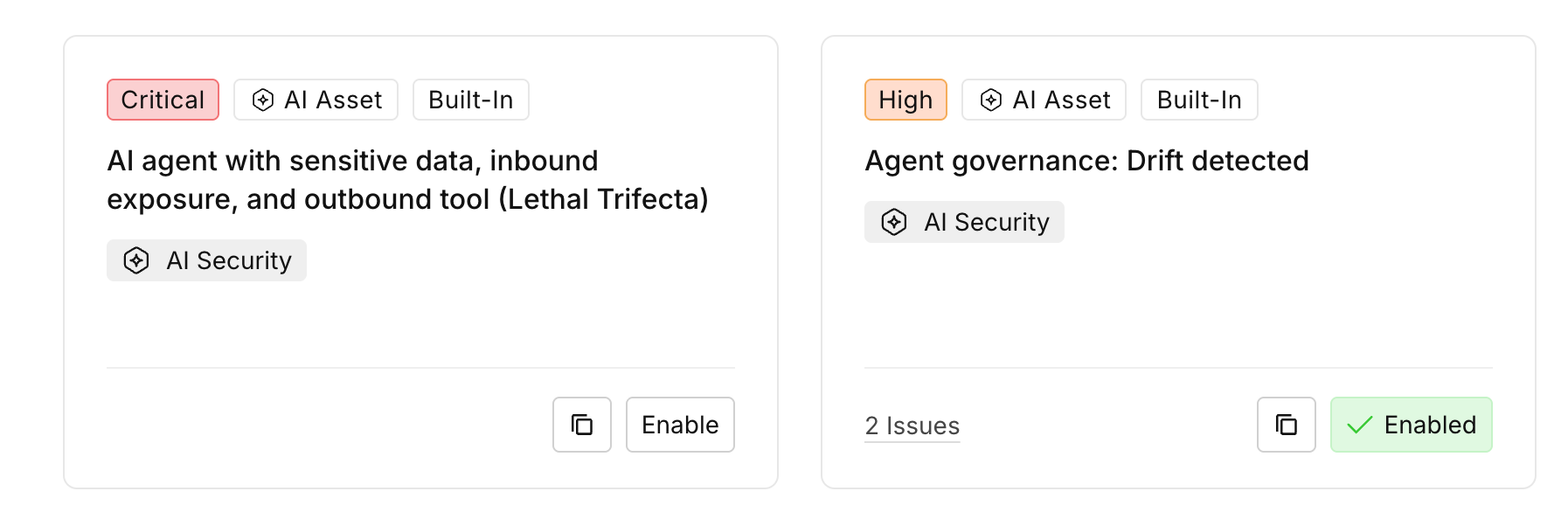
Catching dangerous configurations like the lethal trifecta. An agent that reads sensitive data, accepts untrusted input, and can send data out is vulnerable to prompt-injection exfiltration. We highlighted this pattern in March. An out-of-the-box policy now opens a posture issue on any agent configured with all three, and attribute filters let you hunt for combinations we haven't written a policy for yet.
Where this goes
Attributes and intent make a new kind of policy possible. A rule can say that no finance agent holds an irreversible tool, and it will cover agents that arrive next month too. An agent approved against its declared intent gets flagged the moment it drifts.
The lethal trifecta policy is the most visible example but not the only one in production. Runtime enforcement uses the same labels and stops the action as it happens.
The fifth-table question no longer requires source code: intent and capabilities are both on the record. To see what your agents’ labels look like, book a demo.

Get your AI Security Assessment
.png)

.svg)