
When Microsoft Copilot goes live in production it’s a big milestone. One that involves weeks or months getting ready, including risk reports, data labeling, and right sizing permissions. Then someone flips the switch, the project closes, and monitoring is relegated to an afterthought.
But that’s the moment real exposure and risk comes to light.
Every permission that survived your pre-launch cleanup just got easier to find, summarize, remix, and pass around at machine speed. Files move. Teams reorganize. Copilot spins up summaries, drafts, and slide outlines that land in places far more accessible than the original.
Copilot risk and readiness isn’t just a launch milestone but something that must be judged in real-time. The question after day one isn't just, "are we ready?" It's whether you can prove, continuously, what Copilot and the people using it handle and act on sensitive data.
Why audit logs won't help
Microsoft 365 produces no shortage of audit logs. Volume isn't the problem. The problem is that a log tells you an event happened but not if it matters.
Answering "did Copilot expose something sensitive?" takes three things into account: what the file contains, who touched it, and what they did next.
Today that means stitching evidence across M365 admin portals, Purview activity explorer, and Azure AD. It's a cumbersome manual process that contains gaps and is difficult to reproduce the next time someone asks.
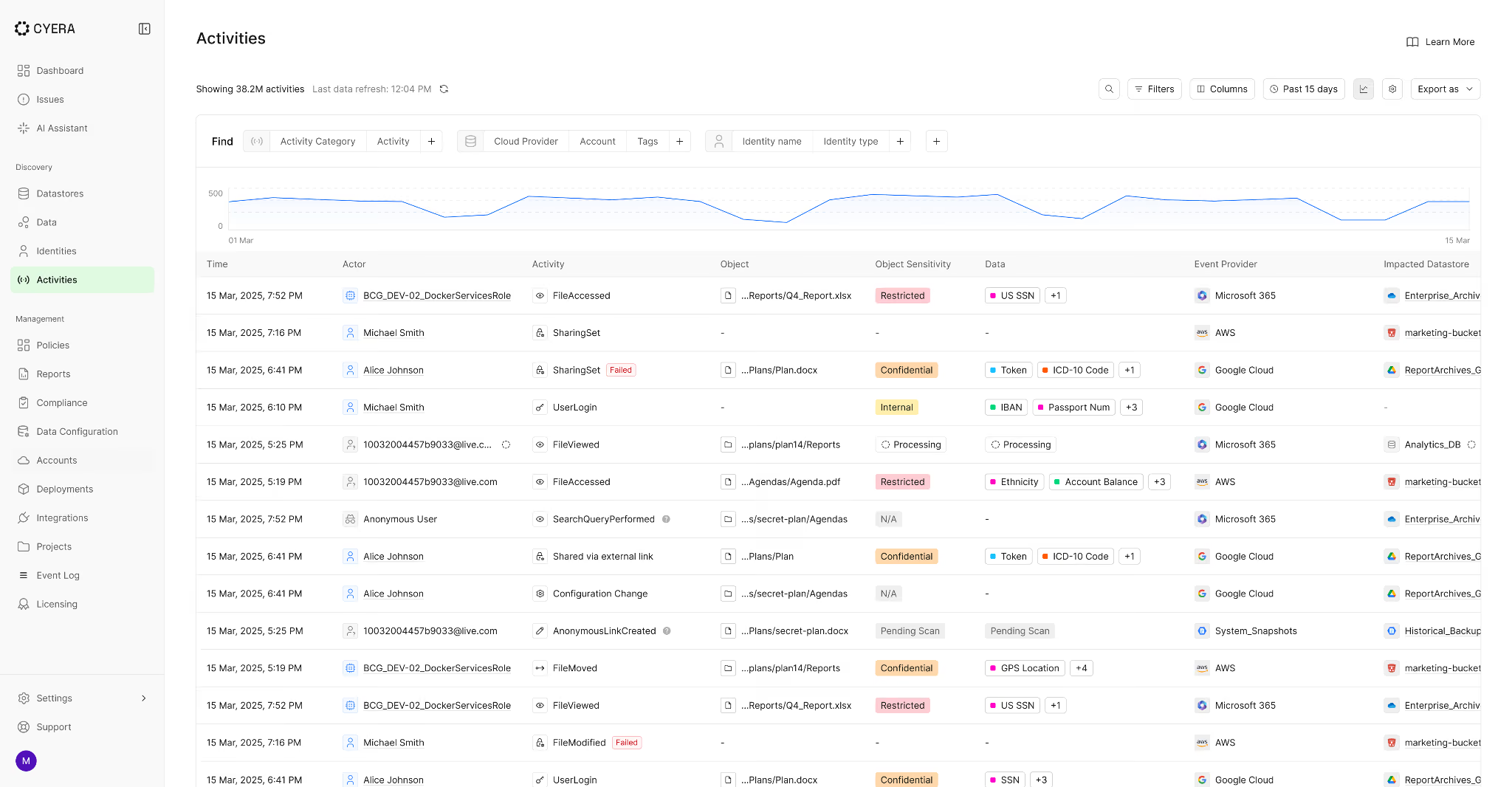
Cyera Access Trail pulls data, identity, and access activity into one continuous, investigation-ready record of how humans and AI interact with sensitive data.
- What does the Access Trail UI look like? What's the default view?
- What data sources does it pull from? (M365, SharePoint, OneDrive, Teams, Exchange?)
- How does it identify "Copilot-related" access vs. human access?
- What identity context does it surface? (user role, department, access level?)
- What actions does it track? (viewed, downloaded, shared, copied, moved, created?)
- Screenshot: Access Trail overview — Copilot-related activity filtered to sensitive data
See what Copilot surfaced, and who saw it
The most common Copilot failure isn't an attack. It's an accident.
Someone asks a perfectly reasonable question: "Summarize the Q2 customer escalations." Copilot finds a SharePoint site they technically have access to, pulls the data, and the summary gets dropped into a Teams channel with a wider membership than the source. Nobody broke a policy. The data got exposed anyway.
Access Trail lets you watch for this as a runtime pattern instead of discovering it as a one-off surprise after the fact.
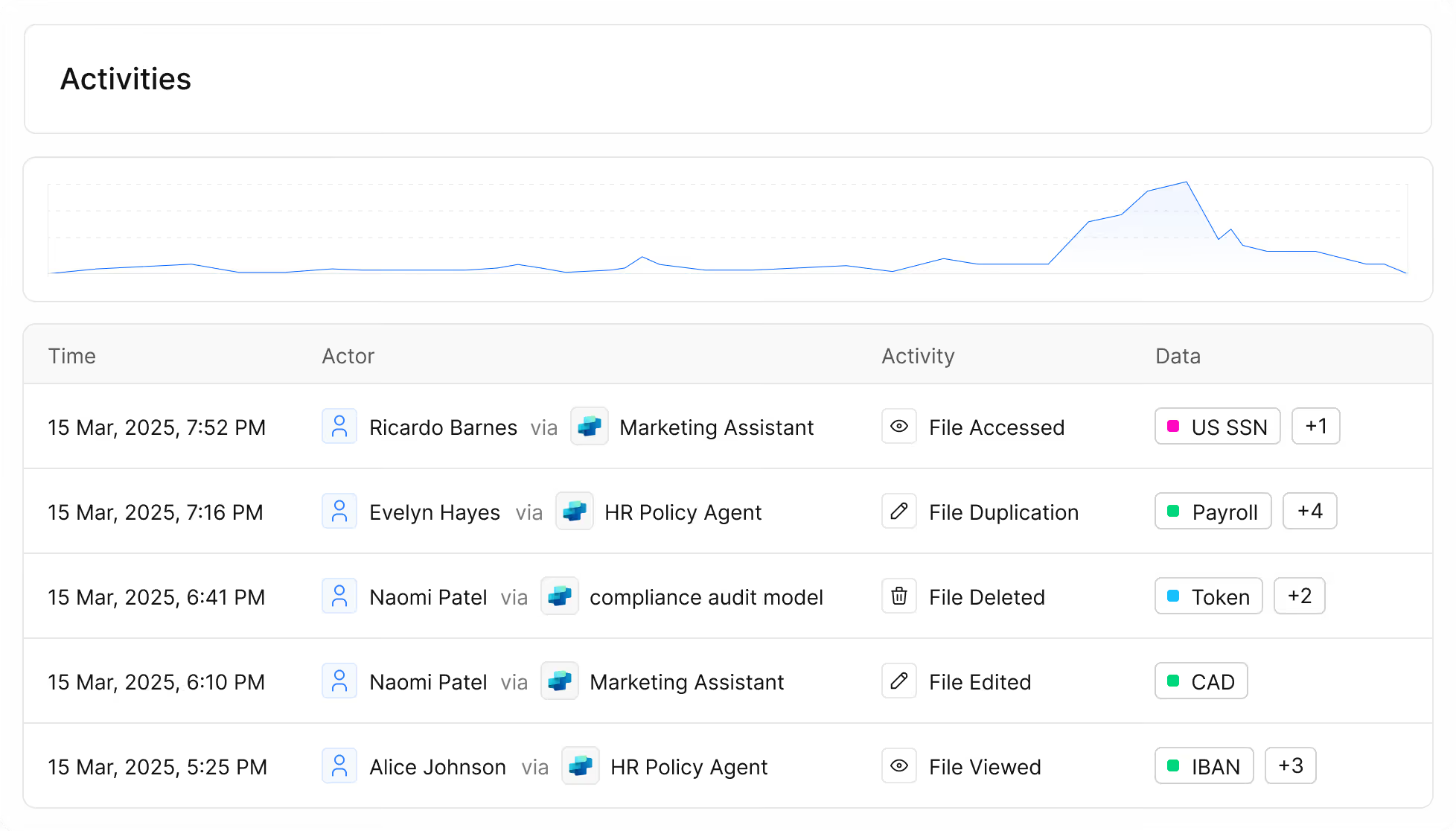
- Walk through the specific filtering workflow: how does a security analyst filter Access Trail to Copilot activity + sensitive classifications?
- What does "pivot from access to downstream actions" look like in the UI? (sharing events, link creation, downloads, moves)
- Can you show a before/after — what a raw log looks like vs. the Access Trail view?
- What questions can you now answer that you couldn't answer before?
- Screenshot: Access Trail filtered view — sensitive data + Copilot/AI interactions, identity + action timeline
Catch the oversharing Copilot amplifies
Copilot respects existing permissions. That's the feature, and that's the risk. Broad SharePoint membership, org-wide sharing links, guest access that piled up over the years: Copilot makes all of it far easier to discover and reuse. The permissions aren't new. The speed of exposure is.
A workflow your team can run every week:
- Start with a sensitive classification, say "Employee PII"
- View the top-accessed files over the last 7 to 30 days
- Sort by sharing-related actions and check which identities are driving the activity
- Flag the repeat offenders: same site, same group, same workflow, different files
- What does this weekly governance workflow actually look like step-by-step in Access Trail?
- Is there a saved view, a report, or a scheduled alert for this pattern?
- Can you show what a "spike in access" looks like after a Copilot licensing rollout?
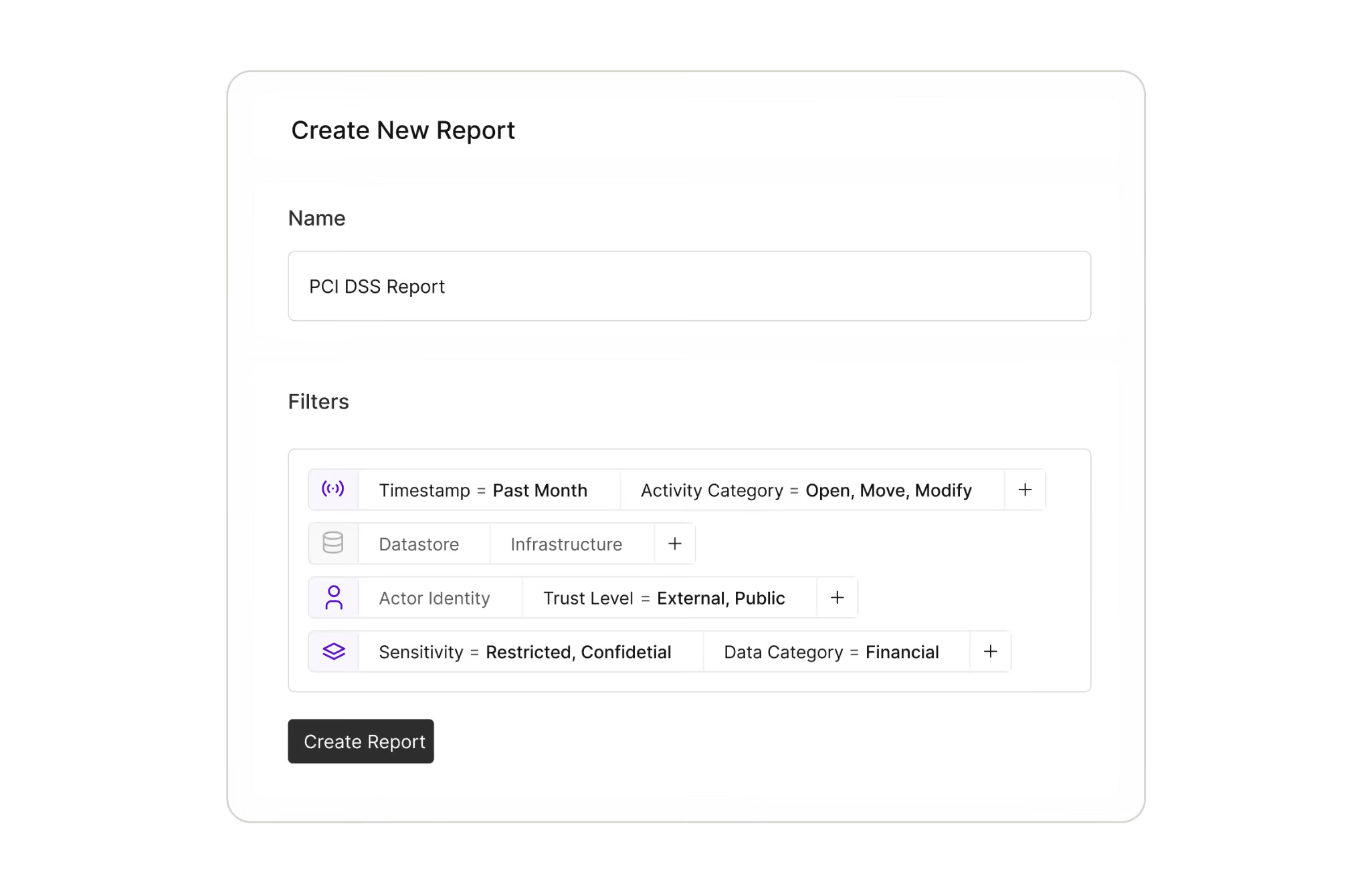
- Screenshot: Access Trail analytics — trending access + sharing actions for a sensitive classification
When Copilot creates new content, follow where it goes
Seeing access is necessary. With AI, it isn't enough.
Copilot doesn't just read your data. It speeds up how that data spreads. One confidential source document can turn into a summary, a rewritten draft, an extracted table, and a slide outline in a single session, and each copy can land in a workspace with different membership than the original.
Here's how it plays out. A confidential strategy deck sits in a restricted SharePoint site. Copilot writes a summary for a broader project update. The summary gets saved to a team drive with wider access. A version of it goes out to a vendor as part of an external workstream. No single step looks alarming. The end state is.
Chase individual events and you're treating symptoms. Cyera Data Lineage maps the full journey of a sensitive file across copies, renames, derivatives, and shares, so you can see the real blast radius and fix the workflow instead of the symptom.
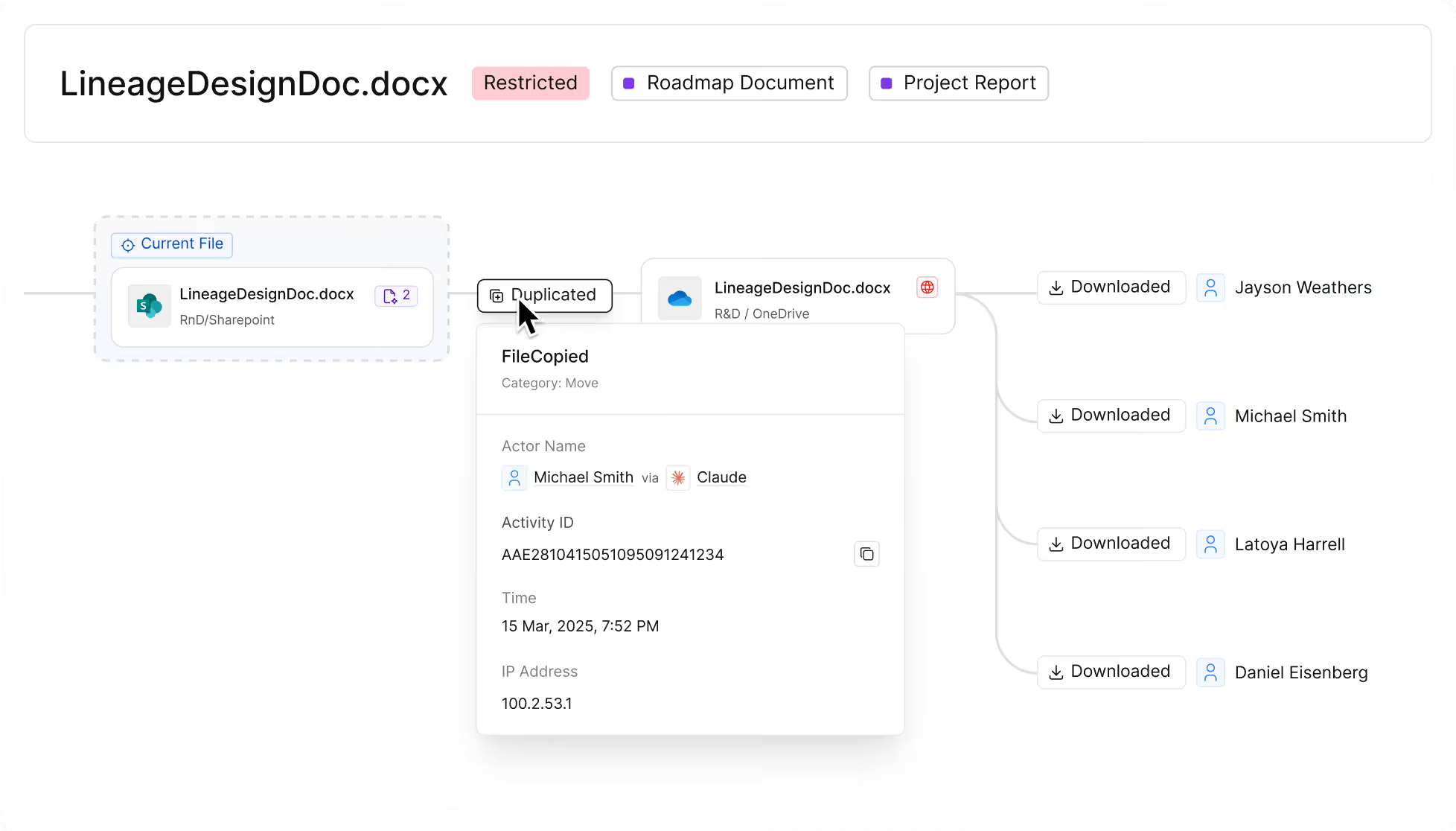
- What does the Data Lineage map look like in the product? How is it visualized?
- How does a user get from an Access Trail event to a Data Lineage view? (Is it a pivot/click-through?)
- What does the propagation map show — nodes, file versions, share events, external recipients?
- How do you identify which downstream copies are highest priority to contain?
- Can you show the above scenario (confidential deck → summary → external share) as a real lineage map?
- Screenshot: Data Lineage map — file origin → Copilot derivative → downstream locations and exposure points
Copilot readiness is a runtime discipline, not a launch milestone
Security teams don't lose control because they stopped caring about governance. They lose control because Copilot takes access realities that were messy but survivable and turns them into something discoverable and reusable at scale, almost overnight.
Cyera's free Copilot Risk Report shows you where you stand before you roll Copilot out widely. Once it's live, Access Trail and Data Lineage give you the runtime governance layer: who and what touched sensitive data, what happened next, and how the risk spread.
The point isn't to slow Copilot down. It's to roll it out with confidence and keep that confidence long after day one.
See what Copilot is doing with your data
Cyera's free Copilot Risk Report shows where you stand before go-live. Once you're live, Access Trail and Data Lineage keep you there.

Get your AI Security Assessment
.png)

.svg)