
CSV exports, ZIP archives, PNG screenshots, source code, and image-based PDFs. These are files your teams create and share daily. They contain sensitive data like PII, financial records, source code, and intellectual property. But sensitivity labels, the mechanism that triggers Microsoft Purview DLP, encryption, and Copilot security, cannot be applied to these use cases.
When Microsoft Copilot goes live, it inherits existing permissions and reads those files freely. There's no label to check. There's no policy to enforce. And with the speed and scale of AI, that leads to unnecessary risk.
Sensitivity labels are the foundation of Microsoft's data security model. Label a file correctly and you can apply the right DLP policies, encryption rules, and now, Copilot security. But Microsoft Purview's labeling system is centered around Office files and text-based PDFs. For everything else, roughly 40% of files in most enterprise environments, labels cannot be applied.
Cyera closes the gap in two ways. First, it classifies every file in your estate regardless of format. Next, it enforces DLP on content rather than labels. Below are the three steps Cyera Omni DLP helps with to take your environment from 60% to 100% coverage.
Uncover files that can’t be labeled
Cyera's classification engine reads what's inside a file. Not just its format, metadata, or filename. That applies equally to the Office files sensitivity labels were built for and the file types they cannot touch.
A CSV is scanned column by column for PII, financial records, and regulated data elements. A code file is inspected for embedded credentials, API keys, and hardcoded secrets. An image-based PDF is processed to surface the content inside it. The same classifiers that power Cyera's broader data security platform run across all of them.
What the classification view shows
Once Cyera scans your environment, it surfaces what files can’t be labeled alongside the rest of your data in a single inventory. Filter to file types that sensitivity labels cannot reach including CSV, ZIP, image, and code to see exactly which contain sensitive data, what category that data falls into, and which datastores hold the most exposure. For a CISO asking "what Copilot actions can’t be seen by our DLP?" this is the answer.
One sensitivity model, full estate
Cyera applies the same sensitivity model and policies across labeled and unlabelable files. For example, a PII finding in a SharePoint Word document and a PII finding in a CSV export from Salesforce are both visible in the same interface, rated against the same scale, and eligible for the same remediation workflow. There is no parallel program for the unlabelable files; they surface in the same queue as everything else.
Extend DLP to 100% of files
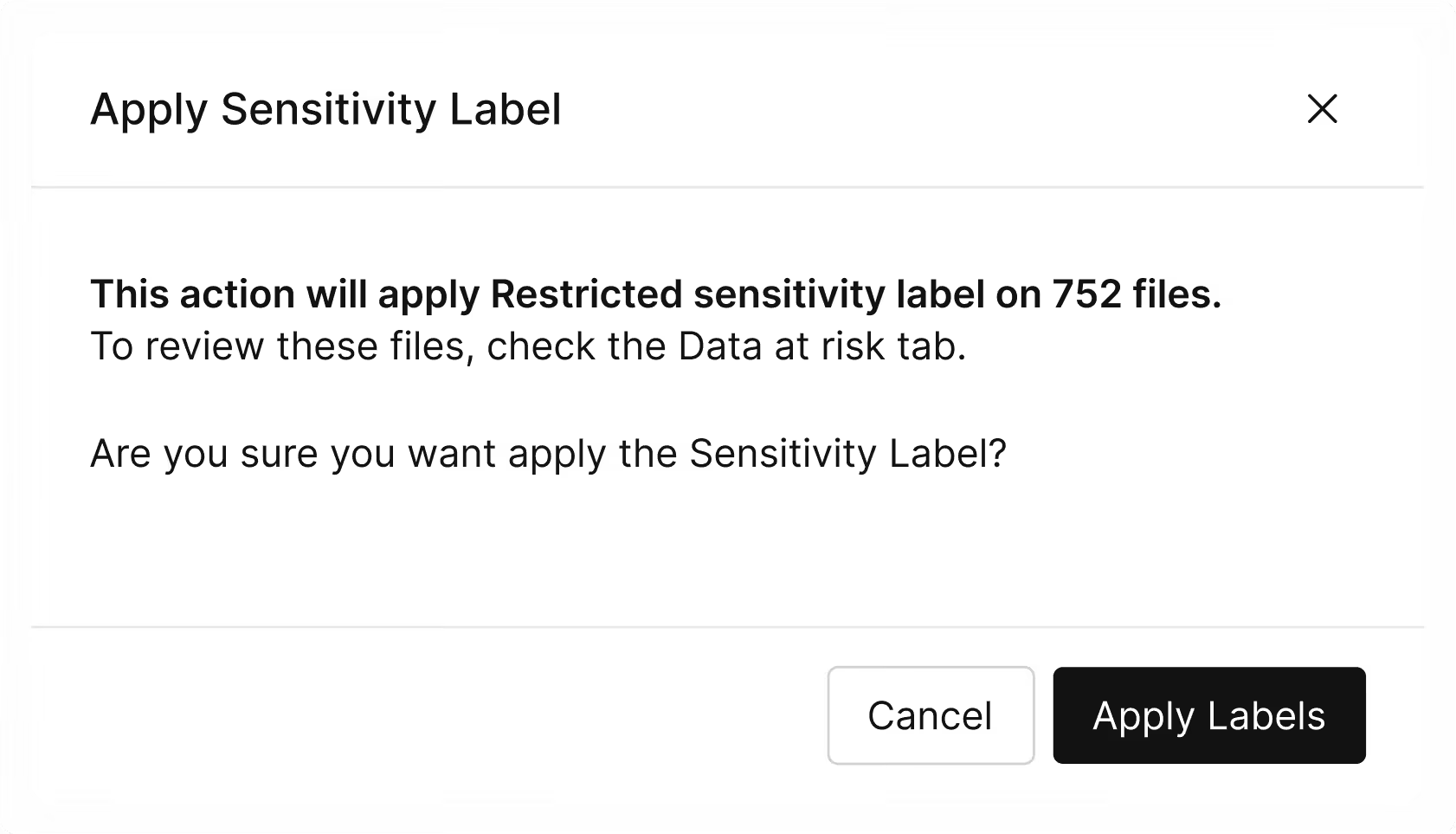
The reason unlabeled files are risky is that Microsoft Purview relies on label policies. If there is no label, there is no policy. Omni DLP operates on content directly. If you have a CSV containing your entire customer database, Omni will cover it while Purview won’t see it.
Set policy on content, not file format
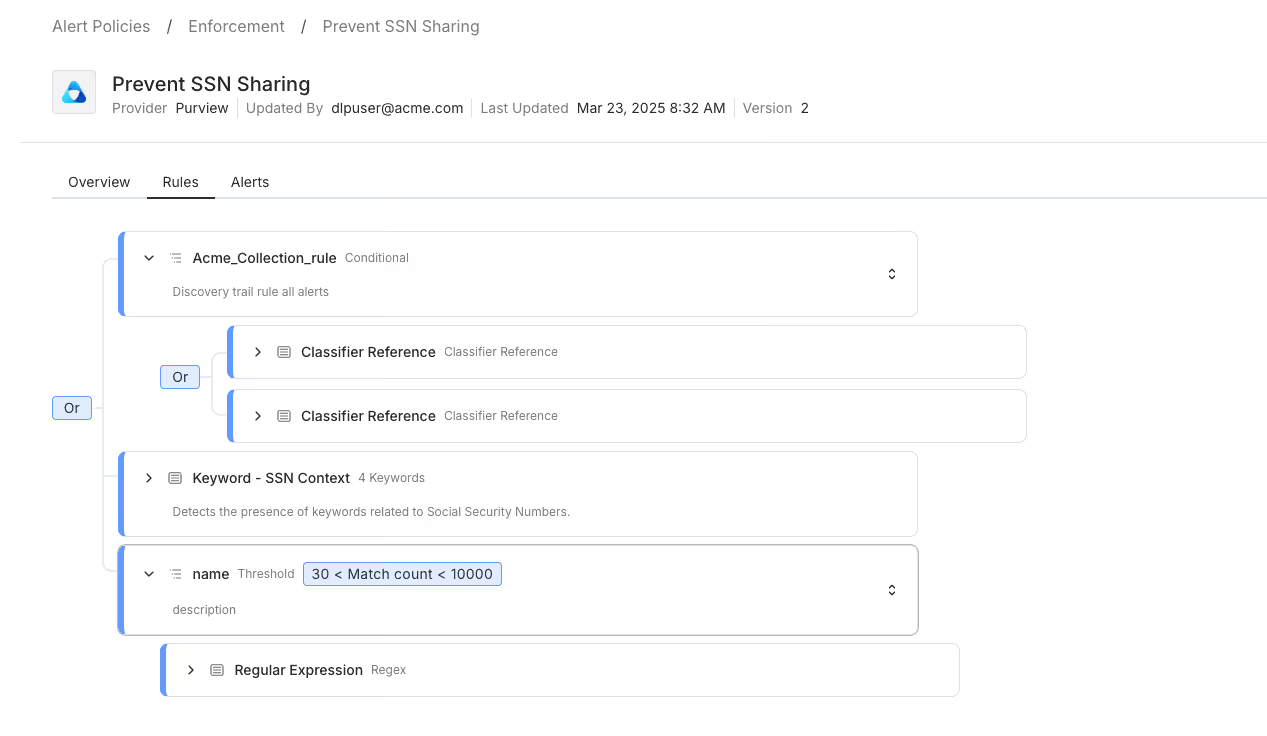
An Omni DLP policy works the same way a content-based classification rule does: you define what matters e.g. customer PII, financial records, source code, regulated data and Omni DLP enforces that definition wherever those files move. Upload, email, share link, sync to an unmanaged device. Once the policy is written the Omni applies it whether the file is a PowerPoint presentation or a ZIP archive of database exports.
Enforcement that matches the sensitivity
Not every detection warrants a block. Omni DLP fires the action that fits the content and the destination: warn when a sales rep tries to share an unprotected CSV with a personal email, block when a database dump is sent outside the organization, alert silently for edge cases that need human review. The enforcement workflow surfaces in the same alert console as the rest of Cyera's findings — not a separate tool, not a separate queue.
Achieve full data visibility
The combined architecture is straightforward: sensitivity labels secure the Office files they were built for and Omni DLP covers everything else. Together, they produce enforcement over every file in your M365 environment, measured against the content inside rather than the label attached.
A unified risk view
Cyera produces a coverage map that accounts for both mechanisms. Files that carry a valid sensitivity label and sit under Purview DLP appear as covered. Files that lack a label but fall under an Omni policy appear as covered. Any file outside both categories with no label, no Omni policy are flagged as a gap. That list is what your security team works from to reach complete coverage.
Coverage that stays current
Enterprise data doesn't stay still. New files appear daily, SharePoint sites expand, developers export CSVs that didn't exist last quarter. Cyera continuously rescans the environment after the initial assessment, so the coverage model stays accurate. A new unlabeled file containing sensitive data doesn't wait for the next audit cycle to surface. Cyera flags it and ensures it is matched to the right Omni DLP policy automatically.
Cyera + Microsoft Purview DLP Demo: Accelerate Purview
See your coverage gaps
The fastest way to find where your label coverage ends is to run it against your own environment. Cyera's free Copilot Risk Report scans your M365 estate, surfaces the files with sensitive data, and shows exactly which are protected by Purview and which are missing coverage. No agents. No production impact. Results in days.
Get Your Copilot Risk Score

Get your AI Security Assessment
.jpg)
.jpg)

.svg)